

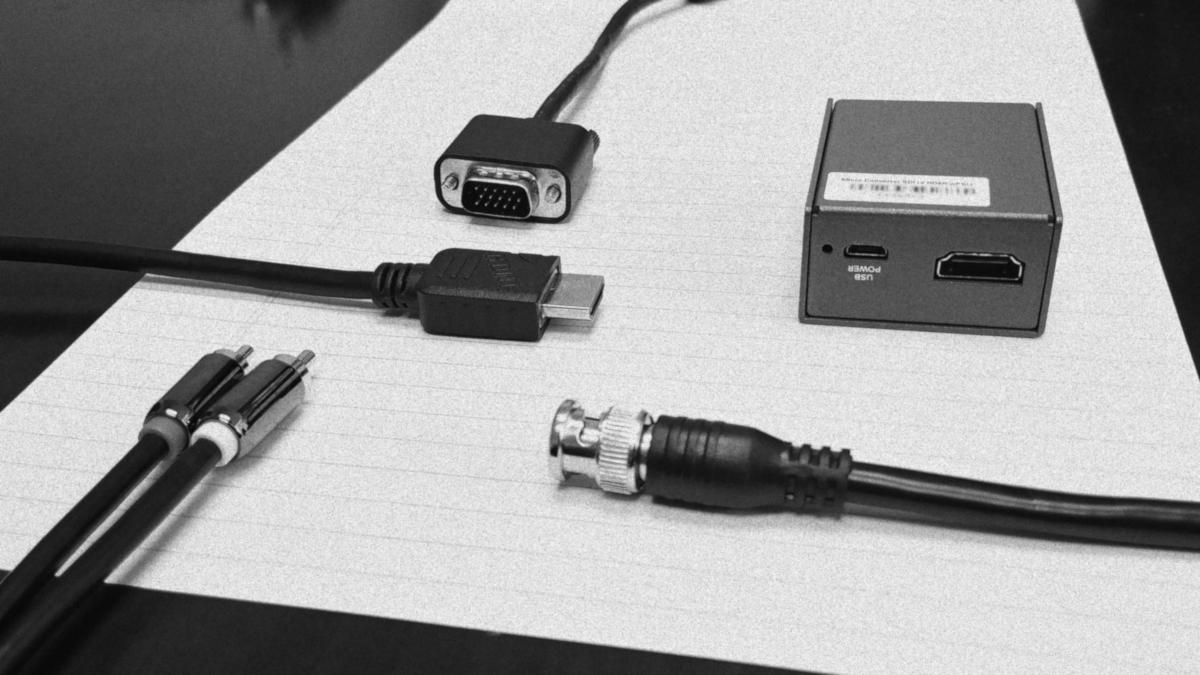
As businesses begin to increase their budget for their livestreams they begin to face a critical question which forms the backbone of their livestreaming setups. Most businesses fall into the trap of using HDMI for their livestreams but, businesses that are focused on growth and flexibility consider the possibility of using SDI instead of HDMI to carry video from their cameras to their video mixer. Let’s compare and contrast the differences of SDI and HDMI in the context of livestreaming and maybe you can decide which one is right for you.
Cost
Balance those books! Without a doubt, cost is probably the first question everyone has in mind when putting together their livestream setup so, let’s get this out of the way first. It’s true that SDI equipment is more expensive then HDMI equipment. This doesn’t have anything to do with licensing costs of the costs to manufacture the equipment but, does have to do with the economies of scale and the demand professional creators have for SDI. Pros desire SDI for a myriad of reasons we’ll get to in a bit and since SDI isn’t used in everyday electronics like HDMI is the economies of scale just aren’t there for SDI. But, how much more expensive is SDI over HDMI, exactly. Well, I recently had the privilege to build out a budget for a livestreaming setup at my place of work so, let’s take a look at what we ended up getting. I will leave out all of the irrelevant purchases and just look at a small slice of the SDI equipment we got. Also, a quick note: Everything was sourced from B&H and I am not affiliated or sponsored with B&H or any of the brands featured in this article.
| Type | Item | Price |
| Camera | Canon XA15 | $1,899.00 |
| Video Mixer | Roland V-1SDI | $1,390.00 |
| 50ft Cable | Pearstone SDI | $24.95 |
| Total | $3,313.95 |
Luckily, the camera and video mixer we purchased have near identical HDMI versions that we can swap out to get an idea of the price difference between SDI and HDMI.
| Type | Item | Price |
| Camera | Canon XA11 | $1,399.00 |
| Video Mixer | Roland V-1HD | $925.00 |
| 50ft Cable | Pearstone HDMI | $64.95 |
| Total | $2,388.95 |
As you might have noted, the HDMI cable is more expensive than the SDI cable. This is because HDMI has difficulty running long lengths of cable so to ensure a reliable signal Pearstone includes an amplifier chip that powers itself off of the HDMI port. We’ll get into that in more detail further in the technology section of this article. Anyhow, the rest of the budget is far less; almost $1,000 cheaper! And the savings don’t end there! I swapped out the Camera with a drop-in replacement to the Canon XA15 – the Canon XA11. But, if you do not want the audio hardware the Canon XA11 and Canon XA15 features you can drop down the cheaper Vixia series as detailed in the table below:
| Type | Item | Price |
| Camera | Canon Vixia HF G21 | $899.00 |
| Video Mixer | Roland V-1HD | $925.00 |
| 50ft Cable | Pearstone HDMI | $64.95 |
| Total | $1,888.95 |
With the Canon Vixia HF G21 – virtually identical to the Canon XA11 minus the special audio hardware – you can save an additional $500! So, why would you want to spend the extra bells on SDI? Well, let’s finally head on to the technology section and explain the differences in HDMI and SDI.
Technology
| Type | Maximum Run Length |
| SDI | 300m |
| HDMI | 30ft |
It’s all about run length. As you can see in the table above, HDMI has a maximum theoretical run length of 30ft while SDI can go up to 300m before you run into signal loss. This is why I chose 50ft as an example in the tables above. Beyond 30ft you have to rely on special amplifier chips or fiber optic-based HDMI cables to get a reliable signal. However, HDMI does beat out SDI in price in as noted in the table below when it comes to short run lengths:
| Item | Price |
| Pearstone 6ft SDI | $9.95 |
| Pearstone 6ft HDMI | $12.95 |
Another odd quirk with SDI I’ll mention is that the Canon XA15 can only support up to 720p/1080i up to 60fps due to the camera’s lack of 3G SDI while all of the HDMI outputs in the cameras mentioned above will support 1080p 60fps. This isn’t much of an issue today as 720p has been the baseline for Facebook and other livestreaming platforms for a while not but, as technology advances I will expect 1080p to replace 720p sooner rather than later.
SDI has a leg up on HDMI in terms of the physical build quality of the cables, generally speaking. First of all, SDI uses a BNC connector. BNC stands for “Bayonet Neill–Concelman” which, in short, means that it latches onto your outputs like a bayonet does on a rifle. HDMI does not latch on like SDI does so it will be impossible to lose connection accidently during your mission critical livestream. Second, the BNC connector is incredibly rugged. I have yet seen a connector as durable as the BNC connector. I’m pretty sure I can run my car over the BNC connectors I use at work and they’d be okay. I can’t say that much for the HDMI connector as I’ve seen them flat out break apart from normal plugging and unplugging. Lastly, SDI uses a single solid core similar to the coaxial you’ll find delivering television inside your home. This means in the freak occurrence the BNC connector breaks or your cable has a short it’s easy to replace with a spare BNC connector and crimping tool. HDMI uses many different conductors to carry a signal so, you’d have to have advanced skills to fix an HDMI cable. You can even buy the raw parts of an SDI cable to build your own to specific lengths if needed.
Use Cases for HDMI and SDI
Now that we covered the differences between HDMI and SDI we need to decide which is right for you! Unfortunately, I can’t tell you which path to choose. In the end, it all comes down to what you’re planning to do. HDMI serves as a great basis for livestream setups that want to stay under a budget and remain flexible. The low cost of HDMI equipment makes it easier to set up a studio at a lower cost and the wide variety of HDMI equipment means you can adjust and tweak your setup with consumer grade equipment easily and quickly. Want to plug in any old laptop to use as a graphics generator? Its quick and easy with no adapters or external power required.
SDI, however, requires special additional equipment to add consumer grade tech to your setup as long as the know-how and foresight to make it work. This inflexibility also adds to the already high entry price of SDI. And yet SDI proves excellent and reliable for professionals who want to set up complicated livestreaming setups for large venues like churches or concerts.
This is the relationship between SDI and HDMI: HDMI is for small and flexible home studios and SDI is for large professional venues. What are you planning to use for your project? Let me know at my “Contact” page and happy streaming!
 Ricker Video